


How to Change or Reset Your Password in API Nation
Follow the steps below to update your API Nation password after logging in, or to reset it if you've forgotten it.
In this article:
CHANGING YOUR PASSWORD (WHILE LOGGED IN)
Navigate to Your Account Settings
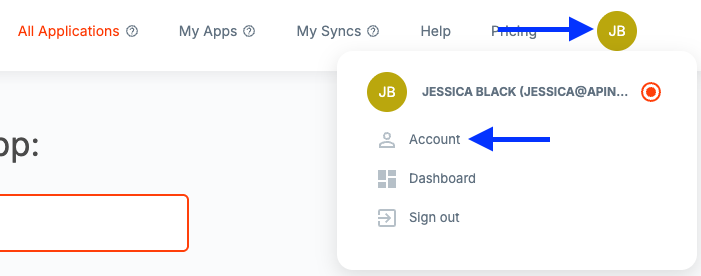
Click your Profile Circle in the top right corner of the screen, then select Account from the dropdown menu.
Access the Password Settings
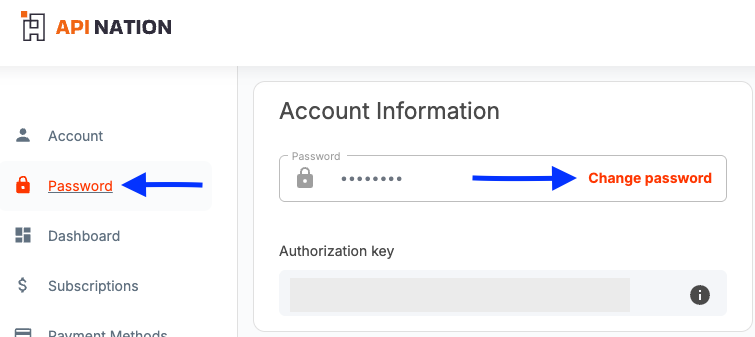
Click Password from the left-hand menu, then click the Change Password button.
Update Your Password
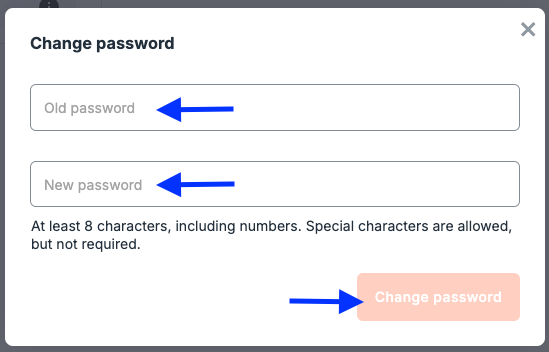
Enter your temporary or current password in the Old Password field. Enter your new password, making sure it meets all listed requirements. Click Change Password to save your changes.
RESETTING YOUR PASSWORD (FORGOT PASSWORD)
Go to the Login Page
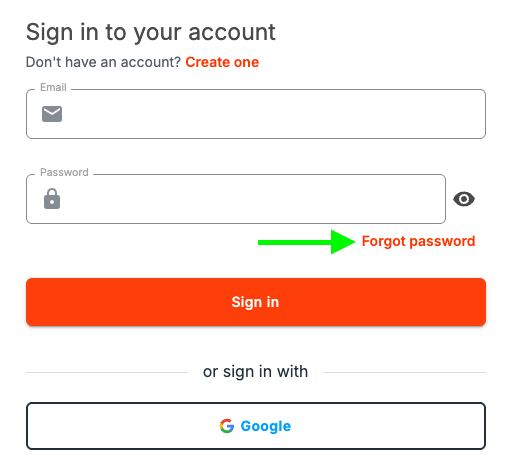
Navigate to the API Nation login page and click the Forgot Password? link below the login form.
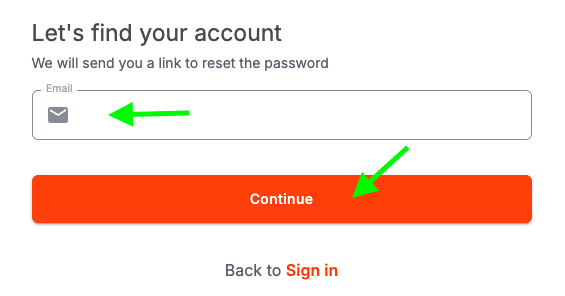
Enter Your Email Address
Enter the email address associated with your API Nation account and click Send Reset Link. You will receive an email with instructions to reset your password.
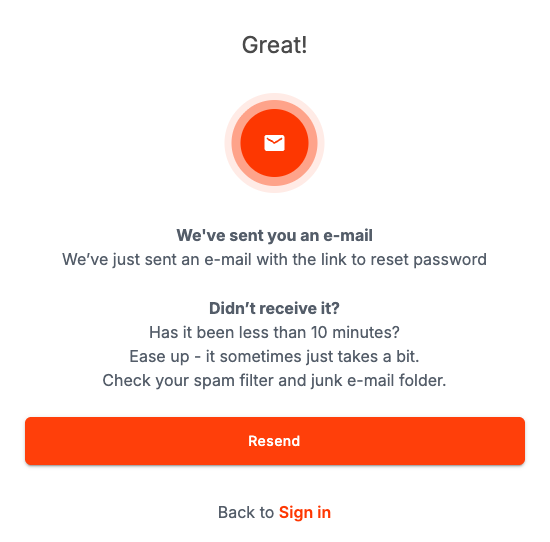
Check Your Email
Open the password reset email from API Nation and click the Reset Password link. If you don't see the email, check your spam or junk folder.
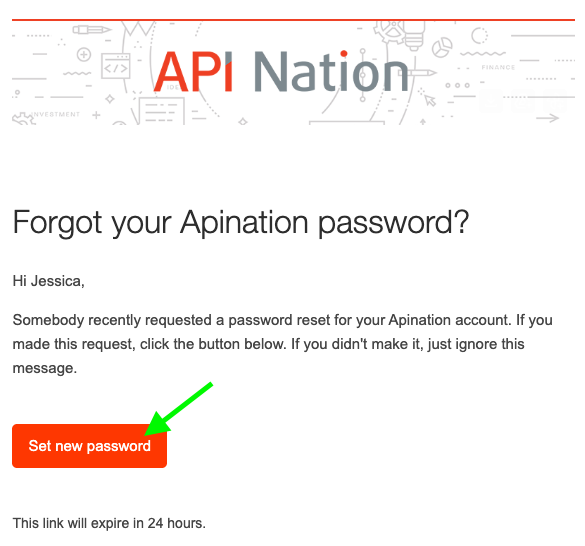
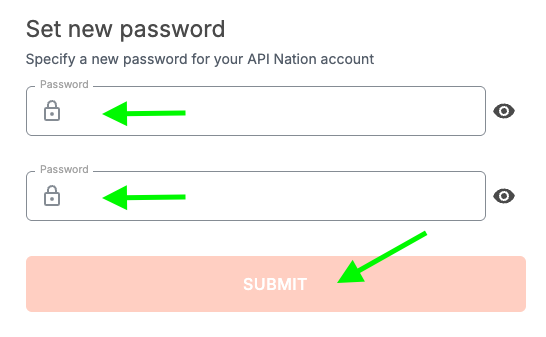
Set a New Password
You will be directed to a page where you can enter and confirm your new password. Make sure it meets all listed requirements, then click Change Password to save.
Still not working?

