


Dotloop: "Already Connected" Error When Connecting Your Account
If you receive an error stating that your dotloop account is already connected when attempting to set up an integration through API Nation, it means a previous API Nation connection still exists inside your dotloop account. You will need to remove that existing connection from dotloop before reconnecting.
Why does this happen?
Dotloop allows only one active API connection per account at a time. If your account was previously connected to API Nation — even if that integration is no longer active on our end — dotloop still holds a record of that connection. This prevents a new connection from being established until the old one is removed.
Steps to resolve
Log in to your dotloop account
Go to dotloop.com and sign in with the account you are trying to connect to API Nation.
Navigate to Integrations
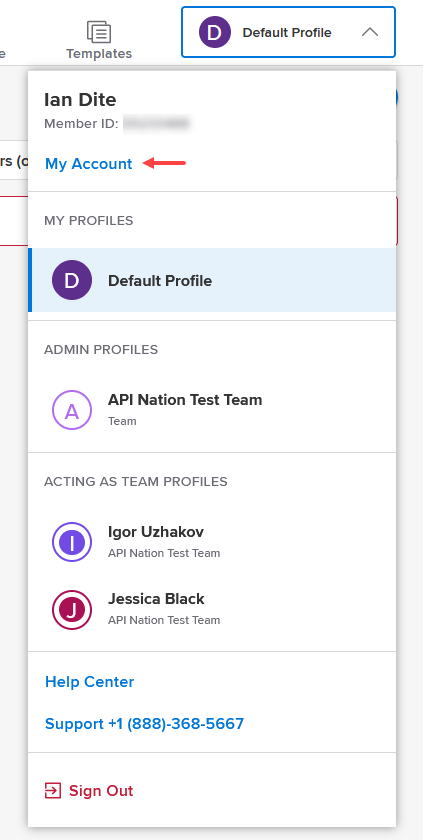
Click on your profile icon in the top-right corner, then select My Account.
Locate the API Nation connection
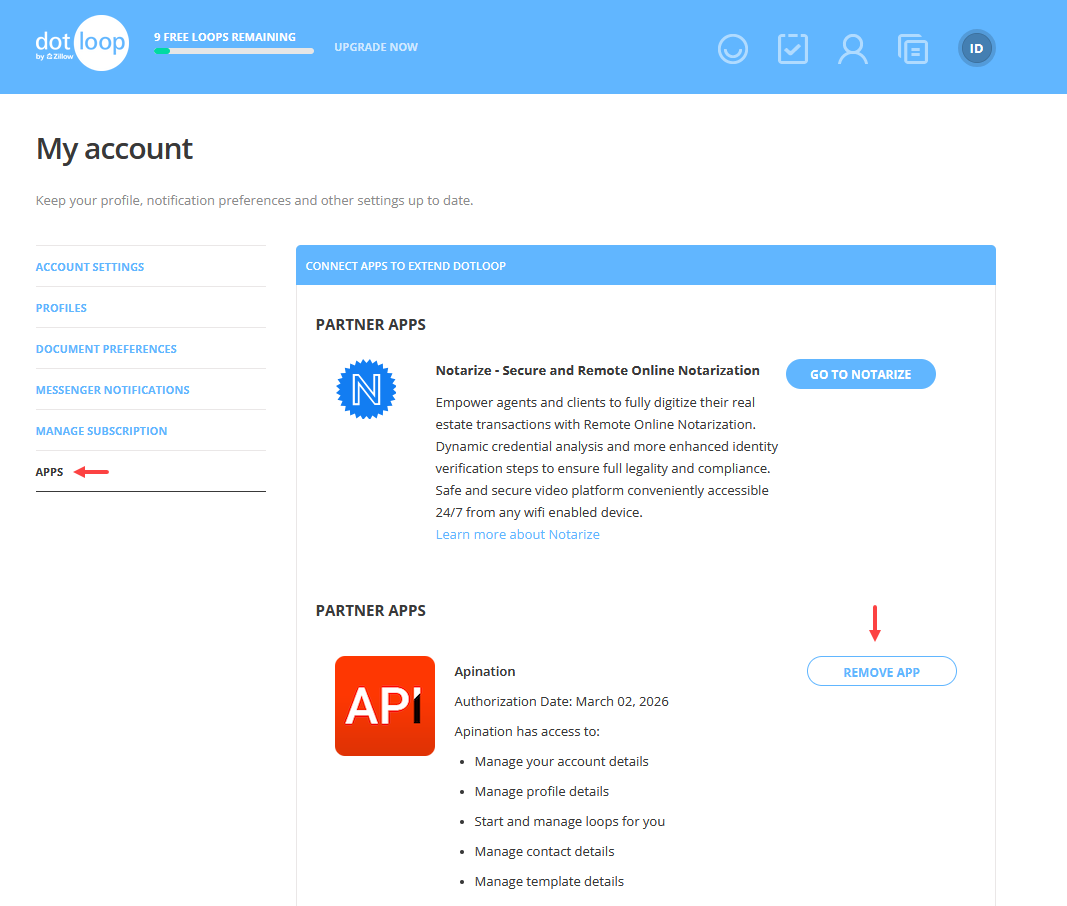
Next, go to the Apps tab and find the existing API Nation entry in your list of connected integrations.
Remove the existing connection
Click Remove App next to the API Nation integration to delete the existing connection from your dotloop account.
Return to API Nation and reconnect
Go back to API Nation and proceed through the dotloop connection flow as normal. The error should no longer appear.
Still not working?

