

How to connect the API Nation AI Plugin to ChatGPT
The API Nation AI Plugin lets ChatGPT work with the apps you connected in API Nation. You can ask ChatGPT questions about your data, such as your contacts. This article shows you how to set it up. It takes a few minutes.
What you need
- An API Nation account.
- At least one app connected in API Nation, such as Follow Up Boss.
- A ChatGPT account. We tested these steps on a free ChatGPT account.
Part 1: Set up your AI plugin in API Nation
Create an AI plugin
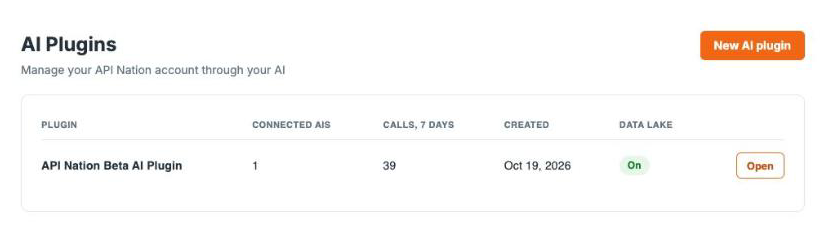
Log in to API Nation. Click AI Plugins in the top menu. Then click New AI plugin.
If you already have an AI plugin, you can use it instead. Click Open next to it and go to step 2.
Choose your apps
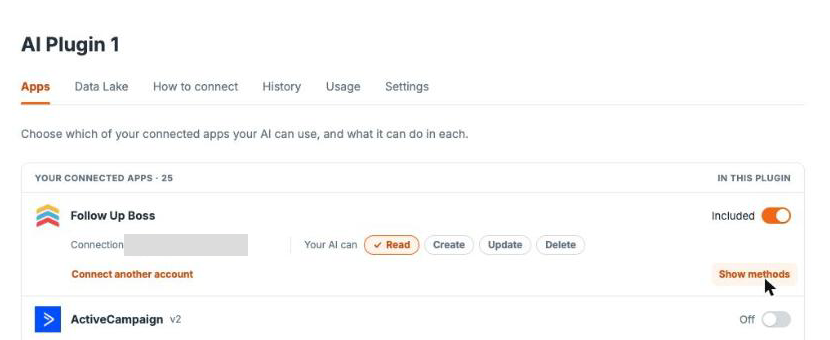
Your new plugin opens on the Apps tab. It lists the apps you connected to API Nation. Every app starts turned off.
Turn on the switch next to each app you want ChatGPT to use. The switch then says Included.
If an app is not in the list, click Connect more apps at the bottom of the list. Connect the app in API Nation, then come back to your plugin.
Under the app name, Connection shows which account of that app ChatGPT uses. To add another account of the same app, click Connect another account.
Choose what ChatGPT can do in each app
Next to Your AI can, click each action you want to allow. An action you allow shows a check mark. A new app starts with Read only.
| Action | What ChatGPT can do |
|---|---|
| Read | Find and view records |
| Create | Add new records |
| Update | Change existing records |
| Delete | Remove records |
Create, Update and Delete let ChatGPT change the data in your app. Turn them on only for apps where you want ChatGPT to make changes. If you only want answers about your data, keep Read only.
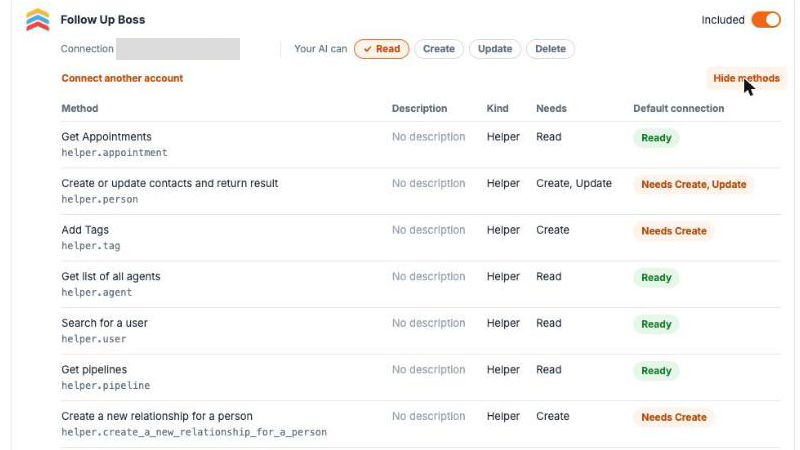
To see what ChatGPT can do in an app, click Show methods. The list shows each method and the actions it needs. Ready means the method can run with the actions you allowed. A label such as Needs Create means you must turn on that action first.
Name your plugin (optional)
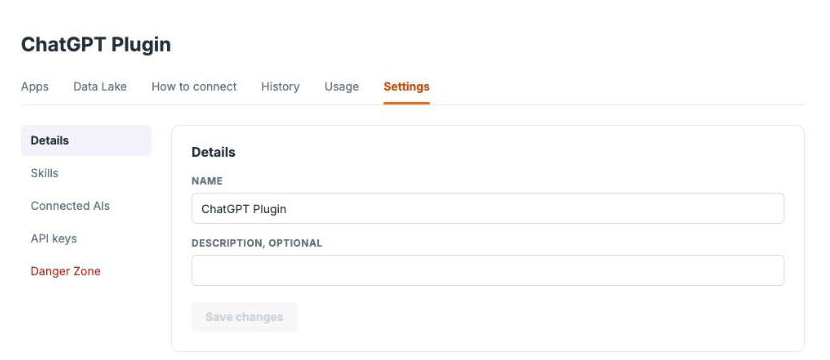
Click the Settings tab. Type a new name in Name, such as ChatGPT Plugin. Click Save changes.
Copy the server address
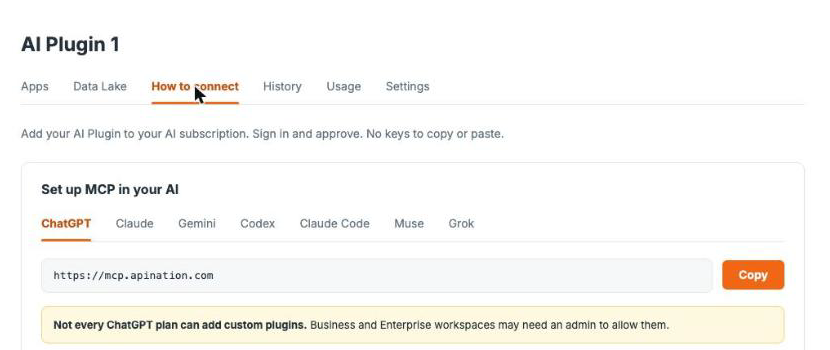
Click the How to connect tab. Make sure ChatGPT is selected. Click Copy to copy the server address. The address is https://mcp.apination.com.
Part 2: Add the plugin in ChatGPT
Open Plugins in ChatGPT
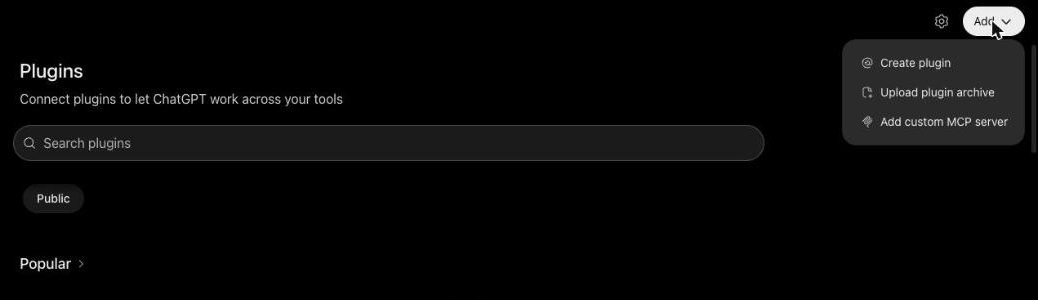
Go to chatgpt.com. Click Plugins in the left sidebar. Click Add in the top right corner. Then click Add custom MCP server.
Fill in the form
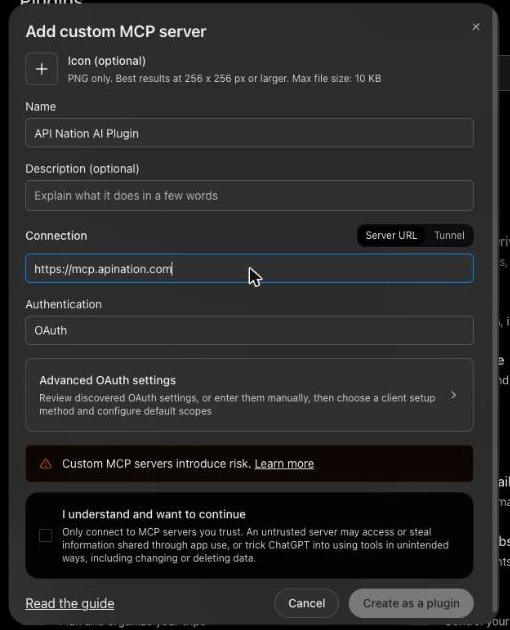
In Name, type API Nation AI Plugin.
Under Connection, keep Server URL selected. Paste the server address you copied.
Under Authentication, keep OAuth. Leave Advanced OAuth settings as they are.
Create the plugin
Tick I understand and want to continue. Then click Create as a plugin.
If ChatGPT says "An app with this name already exists. Choose another name", change the name a little, such as API Nation AI Plugin 2. Then click Create as a plugin again.
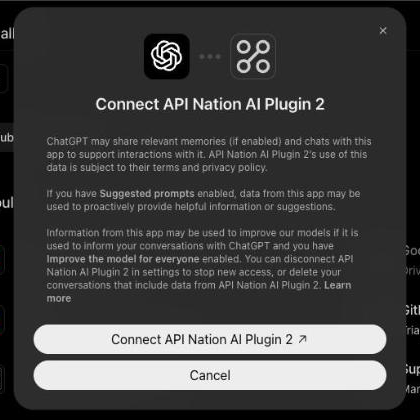
ChatGPT shows a window that explains what it may share with the plugin. Click Connect API Nation AI Plugin.
Allow access
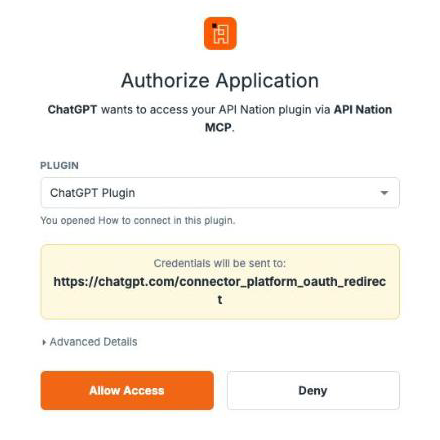
API Nation shows the Authorize Application page. Under Plugin, check that the plugin you set up in Part 1 is chosen. If you have more than one AI plugin, pick the right one from the list.
Click Allow Access. ChatGPT opens its Plugins page again.
Check that it works
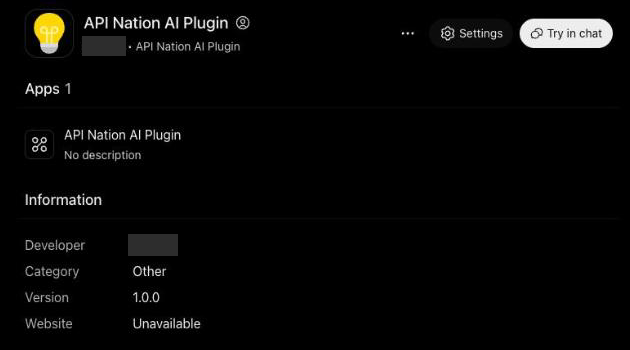
Your plugin now shows under Installed on the ChatGPT Plugins page. Click it. Then click Try in chat.
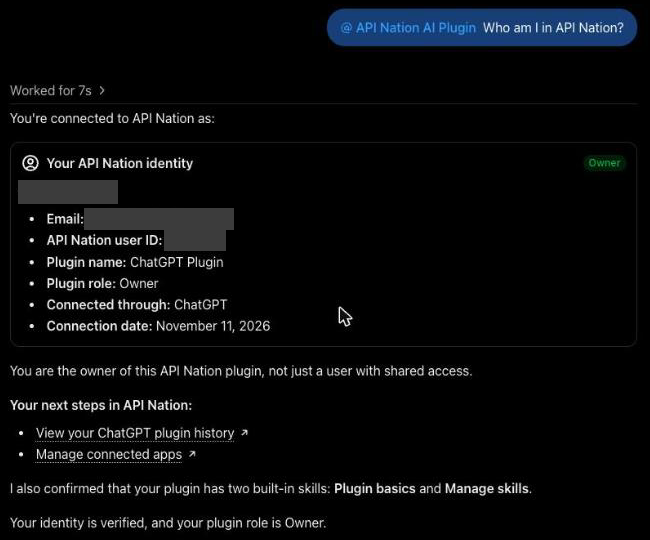
ChatGPT opens a new chat with your plugin already added. Ask: Who am I in API Nation? The answer shows your API Nation account and the name of your plugin.
See the connection in API Nation
In API Nation, click AI Plugins. Your plugin now shows 1 or more under Connected AIs.
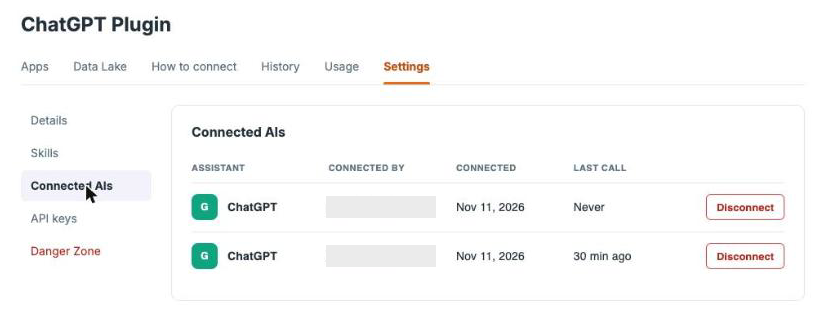
To see each one, click Open next to your plugin. Click the Settings tab, then Connected AIs. ChatGPT is listed with the date it connected.
If you remove the plugin in ChatGPT, it still shows here. Click Disconnect next to it to remove it.
Ask about your data
Now you can ask ChatGPT about the apps you turned on. For example:
- How many contacts do I have in Follow Up Boss?

